7 Powerful Ways Businesses Use YouTube QR Codes for Marketing (2026)
YouTube QR code marketing is one of the fastest ways to turn offline attention into online engagement.
Instead of asking customers to search your channel, type a URL, or remember a complicated link, you give them a simple QR code to scan—then they land instantly on your video, playlist, or channel.
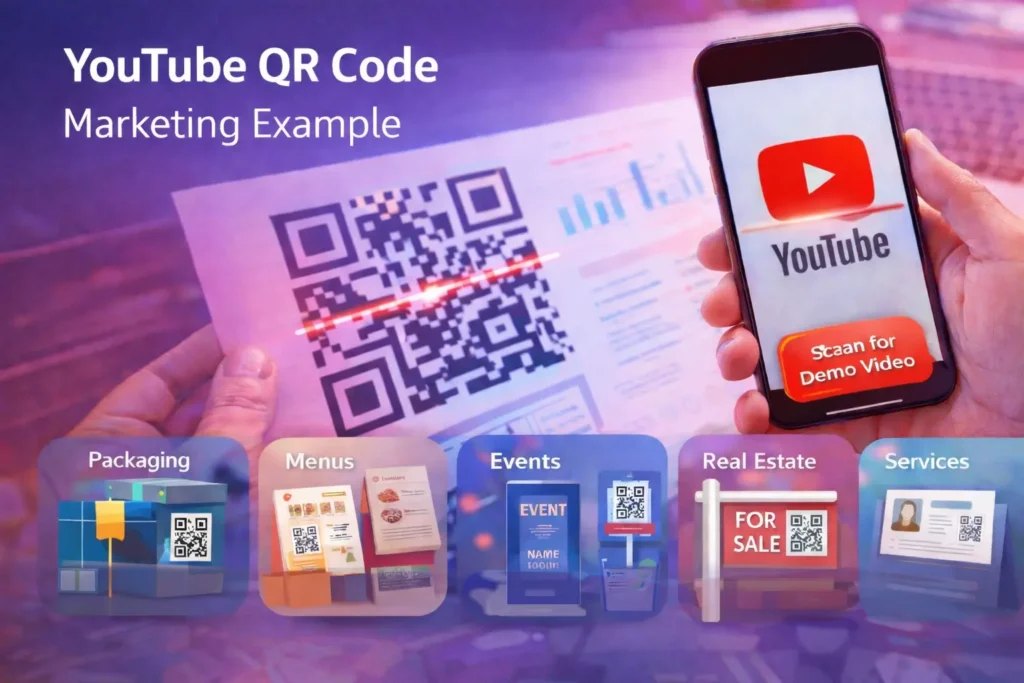
This is why YouTube QR code for business campaigns are exploding in packaging, retail, events, restaurants, real estate, and service industries.
One scan can increase YouTube views, raise watch time, improve lead quality, and even boost sales—especially when your video answers a question people already have.
Want to create one now? Use our tool:
Video QR Code Generator.
Table of Contents
- What Is YouTube QR Code Marketing?
- Why YouTube QR Codes Work for Business
- 7 Real Business Use Cases
- How to Get a QR Code for Your YouTube Channel
- How to Create a QR Code to Subscribe to YouTube
- How to Run a YouTube QR Code Campaign
- Best Practices (Scan Rate + Conversions)
- Static vs Dynamic QR Codes for YouTube
- Quick Checklist
- FAQ
What Is YouTube QR Code Marketing?
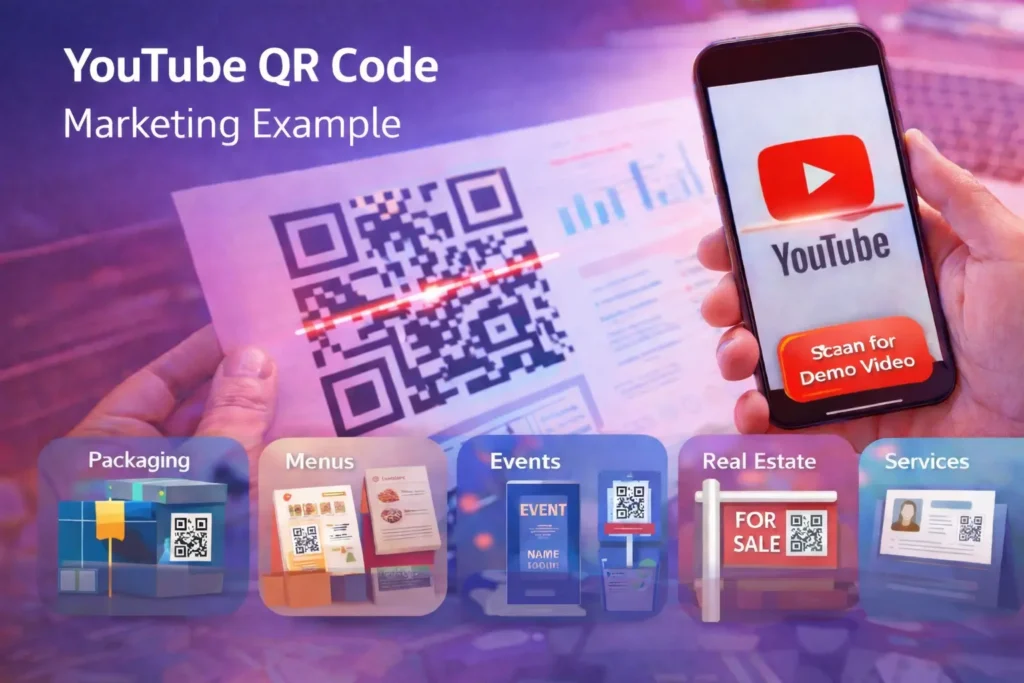
YouTube QR code marketing means placing a QR code on physical or digital assets—packaging, flyers, posters, menus, business cards, storefronts, presentations, emails, or social posts—
that sends people directly to YouTube content.
It’s a practical form of QR code for video marketing because videos do what text often can’t:
demonstrate, explain, persuade, and build trust in seconds. A customer might ignore a paragraph, but they’ll watch a 30-second demo if scanning is effortless.
Why YouTube QR Codes Work for Business
The big advantage is friction reduction. People already have their phones out—so scanning is easier than typing a URL or searching for your channel.
When you design the right message and video, YouTube QR codes become a high-converting bridge between offline and online.
Key benefits of YouTube QR code for business
- Instant access: one scan opens your exact video.
- Higher trust: demos, testimonials, and behind-the-scenes content build credibility.
- Better customer education: fewer support tickets and fewer product returns.
- Multi-channel: works in print, packaging, store displays, invoices, and digital ads.
- Campaign flexibility: easy to test different videos and calls-to-action.
If you’re building a YouTube QR code campaign, the goal is simple:
put the QR code where attention already exists (packaging, checkout, tables, signs), and link to a video that delivers instant value.
Watch: Example YouTube QR Code Marketing Flow
Rank Math flagged “no rich media.” Adding one embedded video usually fixes that.
This example shows how a YouTube video QR code can drive offline-to-online engagement.
7 Real Ways Businesses Use YouTube QR Codes for Marketing
1) Product Packaging: Demos, How-To, and “Start Here” Videos
Packaging is a high-intent moment: the customer already bought (or is about to).
Add a YouTube QR code to send them to setup instructions, a quick demo, or troubleshooting tips.
This improves satisfaction and reduces returns.
Best videos for packaging:
- Quick start guide (30–60 seconds)
- How to use / how to assemble
- Care instructions
- Top 3 troubleshooting fixes
Copy idea next to QR: “Scan to watch setup” or “Scan for the 60-second demo.”
2) Restaurants & Cafés: Menus, Specials, and Storytelling
Restaurants use QR codes for menus, but a stronger strategy is QR code for video marketing:
show your most popular dish, a chef special, or a behind-the-scenes clip.
Visual proof increases confidence, which can increase average order value.
High-performing restaurant video ideas:
- Chef special of the week
- “How it’s made” short kitchen clip
- Customer reactions montage
- Ingredient sourcing story (great for premium brands)
3) Events & Conferences: Attendance, Booth Traffic, and Recaps
Events are ideal for a YouTube QR code campaign because attendees are already in “interaction mode.”
Use QR codes on banners, tickets, booths, handouts, and stage screens to drive people to:
- Event trailer / agenda overview
- Speaker highlights
- Sponsor messages
- Post-event recap + full session recordings
Bonus: the same QR code can keep delivering views for months if your recap content is evergreen.
4) Real Estate: Video Tours That Convert Faster
Real estate is one of the strongest use cases for QR code for video marketing.
Put a QR code on yard signs, flyers, postcards, and open-house materials to open a YouTube property tour instantly.
Where to place it:
- “For Sale” signs (big + scannable)
- Property flyers and postcards
- Open house sign-in sheets
- Agent business cards
Recommended video format: 60–120 seconds, captions on, clear “Book a viewing” CTA.
5) Retail Stores: In-Aisle Education and Upsells
Retail customers hesitate when they don’t understand the product.
A YouTube QR code near shelf talkers or displays can answer questions instantly—and improve conversions.
Retail video use cases:
- Product comparison: “Which version is right for you?”
- Quick demo: key features + benefits
- How it’s made / quality proof
- Bundles and add-ons (upsell)
6) Service Businesses: Testimonials, Proof, and “What to Expect”
For service businesses, trust matters more than features. Use YouTube QR code marketing to show proof quickly:
testimonials, before-and-after transformations, and short process explainers.
- Client testimonial clips
- Before-and-after results
- Process explainer: “What happens after you book?”
- FAQ video: pricing, timeline, and objections
Put QR codes on quotes, invoices, service vehicles, brochures, reception desks, and appointment cards.
7) Recruiting & Employer Branding: Hire Better Candidates
Many teams now place QR codes on job posters and hiring pages.
A short YouTube culture video helps candidates self-qualify and increases application quality—especially for local hiring.
How to Get a QR Code for Your YouTube Channel
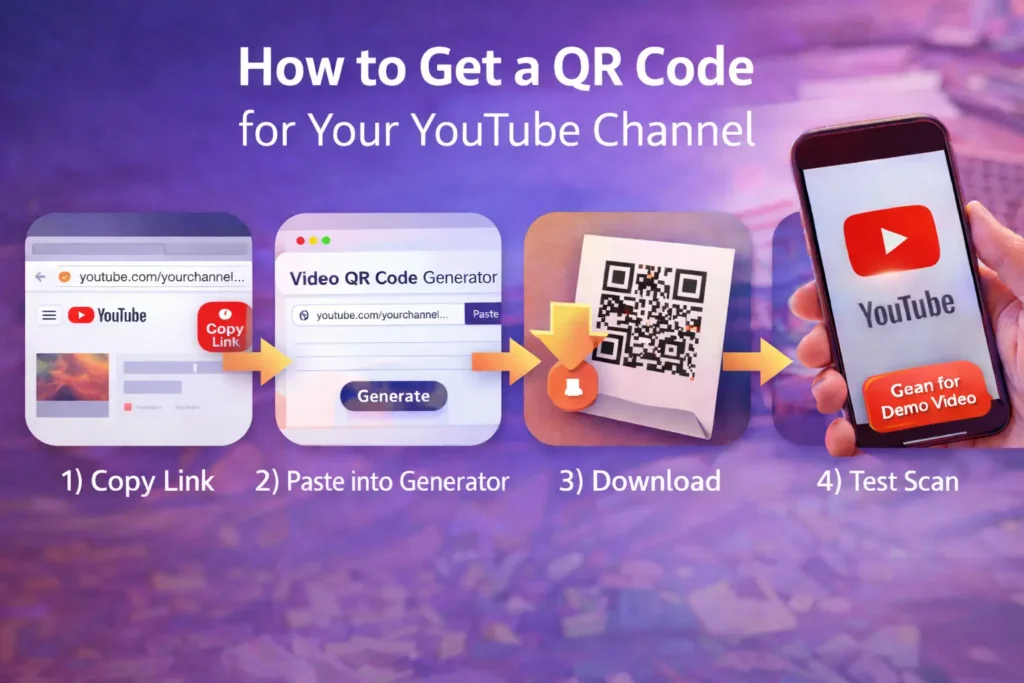
If you’re searching how to get a QR code for your YouTube channel, here’s the fastest method:
- Open your YouTube channel or video.
- Copy the URL (channel link, video link, or playlist link).
- Paste it into our Video QR Code Generator.
- Generate and download your QR code image.
- Test scan it on multiple phones before printing.
Related guide:
YouTube Video QR Code Generator (Complete Guide)
How to Create a QR Code to Subscribe to YouTube
“QR code to subscribe to YouTube” is a great tactic for packaging, business cards, and retail displays.
The simplest approach is to link your QR code to your channel (or a “Start Here” video pinned on your channel).
After viewing, people can subscribe with one tap.
Where subscription QR codes work best:
- Business cards and thank-you cards
- Product inserts (“Scan to subscribe for tutorials”)
- Event booths (“Scan to subscribe for updates”)
- Store displays (“Scan to see more demos”)
Pro tip: If your business has multiple services, send users to a playlist (so they can choose what to watch).
How to Run a YouTube QR Code Campaign (Simple Framework)
A YouTube QR code campaign performs best when the QR is tied to one clear promise and one clear next step.
Use this simple framework:
Step 1: Choose one campaign goal
- Increase product understanding
- Get more store visits or bookings
- Drive YouTube views + watch time
- Generate leads
- Grow subscribers
Step 2: Pick the best destination
- Single video: for one offer or one action
- Playlist: for multiple services or education
- Channel: for subscription growth
Step 3: Write a CTA next to the QR
Your CTA should match the video exactly: “Scan to watch the 60-second demo,” “Scan for video tour,” or “Scan to see results.”
Step 4: Test placement and scan distance
Print a sample, test scan in real lighting, and adjust size. This alone can double scan rates.
Best Practices for High-Performing YouTube QR Code Marketing
1) Make scanning effortless
- Keep whitespace around the QR code (quiet zone)
- Use strong contrast (dark on light background)
- Avoid tiny codes on busy designs
- Test on iPhone + Android
2) Match the video to the promise
If your CTA says “Scan for setup,” don’t send viewers to a 12-minute brand story.
Deliver what you promised fast, then offer the next step.
3) Keep videos short (especially for offline scans)
For packaging, retail, and menus, aim for 30–90 seconds.
For real estate tours and in-depth tutorials, longer is fine—just add chapters and captions.
4) Track performance (optional but powerful)
If you want tracking, add UTM parameters to your YouTube link before creating the QR code.
That way, your analytics can separate QR traffic from other channels.
5) Use credible references in your content
If you need a simple explanation of QR codes, see
this QR code overview.
For YouTube guidance, you can reference the
YouTube Help Center.
Note: I used rel=”noopener” (not nofollow) so Rank Math counts outbound links.
If your WP setup auto-adds nofollow, remove it for these authority links.
Static vs Dynamic QR Codes for YouTube Marketing
Businesses often ask whether they should use static or dynamic QR codes for YouTube QR code marketing:
- Static QR: destination is fixed. Great for evergreen assets like packaging or permanent signs.
- Dynamic QR: destination can be changed later (often via a QR service). Great for seasonal promotions or rotating offers.
If you’re printing 10,000 flyers for one campaign, dynamic can save reprint costs.
If you’re building long-term materials, static is usually enough.
Quick Checklist: Launch YouTube QR Code Marketing Today
- Pick one goal (views, leads, sales, bookings, or subscribers).
- Choose the right destination (video, playlist, or channel).
- Create a short video that matches your CTA.
- Generate your QR code using our tool.
- Add a CTA next to the QR (“Scan to watch”).
- Test scan distance and lighting before printing.
- Place the QR where attention already exists.
Ready to build yours?
Generate a Video QR Code Free
FAQ: YouTube QR Code Marketing
Do YouTube QR codes increase views?
Yes—when placed on high-visibility assets and linked to a video people actually want (demo, tour, testimonial).
The key advantage is reduced friction: scan once and watch immediately.
What should a business link to: a YouTube video, playlist, or channel?
Use a single video for one clear offer, a playlist for multiple topics, and a channel for subscription growth.
How do I get a QR code for my YouTube channel?
Copy your channel URL, paste it into a QR generator, download the code, and test it before printing.
How do I create a QR code to subscribe to YouTube?
Link your QR code to your channel (or a Start Here playlist). After watching, viewers can subscribe with one tap.
Where should I place a YouTube QR code for best results?
Put it where people pause: packaging, menus, checkout counters, waiting rooms, signs, flyers, and event booths.
Next internal link suggestion: When your “Static vs Dynamic QR Codes” post is live, add one contextual link from that post back to this guide and to your tool page.